MyINC Social — Homepage Middle Sections
Private platform · INC members only

A calmer social home for the INC community.

MyINC Social is a private, approval-based social platform built for Iglesia Ni Cristo members. Share updates, discover fellow members, join groups, and stay connected in a cleaner space built around trust.

MyINC Social app icon
Free to download. Approval required.No public access. No open registration feed. Built for members first.
MyINC Social timeline app screen
Member accessReviewed before entry
Private feedCommunity-only posts
Simple installOne destination link
100%
Private accessDesigned for approved INC members only.
₱0
Free downloadNo subscription required to join.
4
Clear stepsDownload, sign up, onboard, approval.
1
Focused appFeed, groups, members, and profile in one place.
Why it exists

Built for belonging, not endless noise.

Public social networks are too broad, too loud, and too dependent on algorithms. MyINC Social gives members a dedicated place that feels organized, respectful, and easier to trust.

01

A private member feed

Share updates, read posts, and interact with members without turning the experience into a public stage.

Designed around controlled access and community relevance.
02

Connections that make sense

Find and follow fellow members across the community with cleaner profile pages and simpler discovery.

The goal is useful connection, not random attention.
03

Groups and shared spaces

Organized sections make it easier to move through updates, groups, and areas of interest without confusion.

Structure first. Clutter last.
04

Approval-based access

Accounts are reviewed before full entry so the platform can protect the member-only nature of the community.

This is intentional friction for user trust.
05

Clean app-company quality

Minimal screens, calmer colors, clear spacing, and familiar patterns make the product feel professional from the first visit.

Soft, premium, and easy to understand.
06

A simple path to join

One clear install destination, guided signup, onboarding, review, and then full access after approval.

All download CTAs point to the same install page.
App preview

See the product before you install it.

These screens keep the page substantial for review while making the design lighter, softer, and more trustworthy.
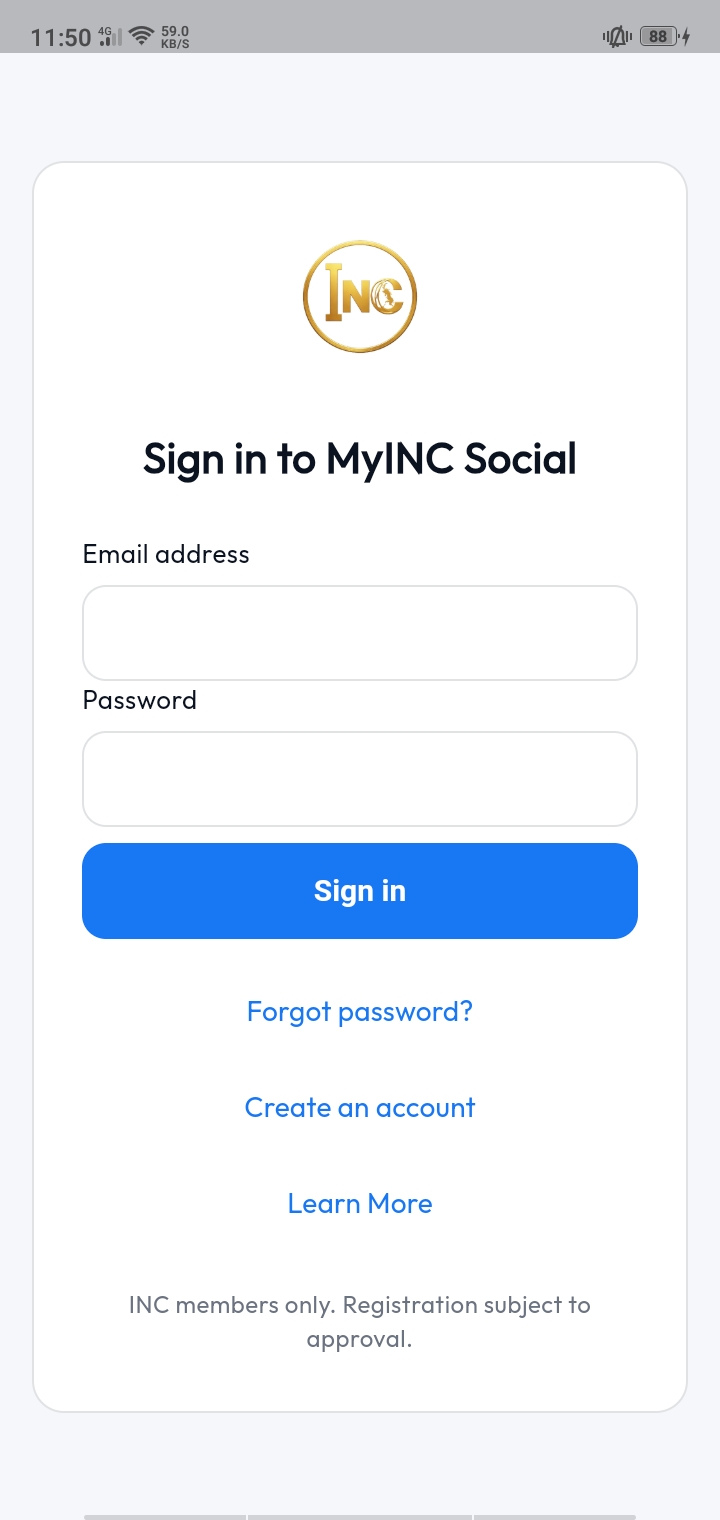
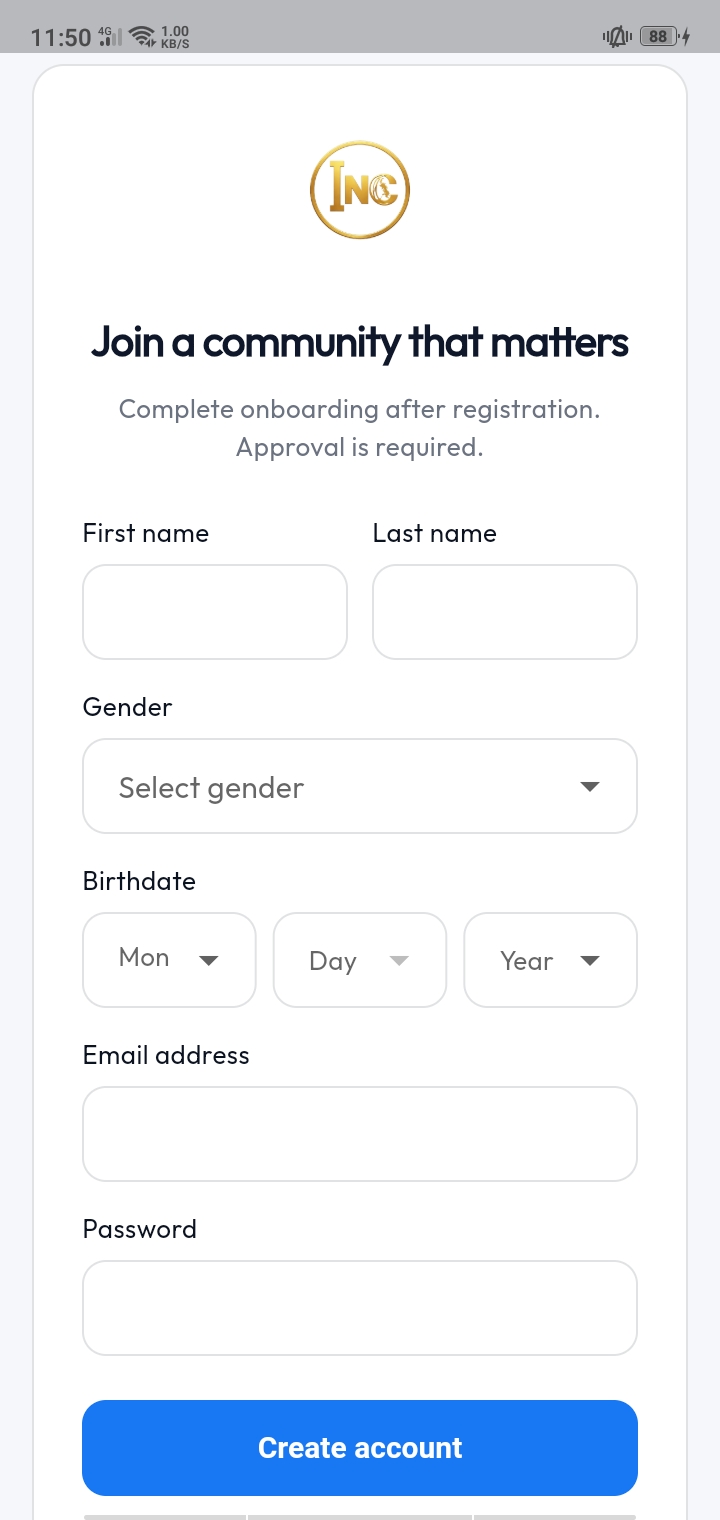
Sign in screen
Sign InA clean entry point for returning members.
Create account screen
Create AccountSimple signup before member onboarding.
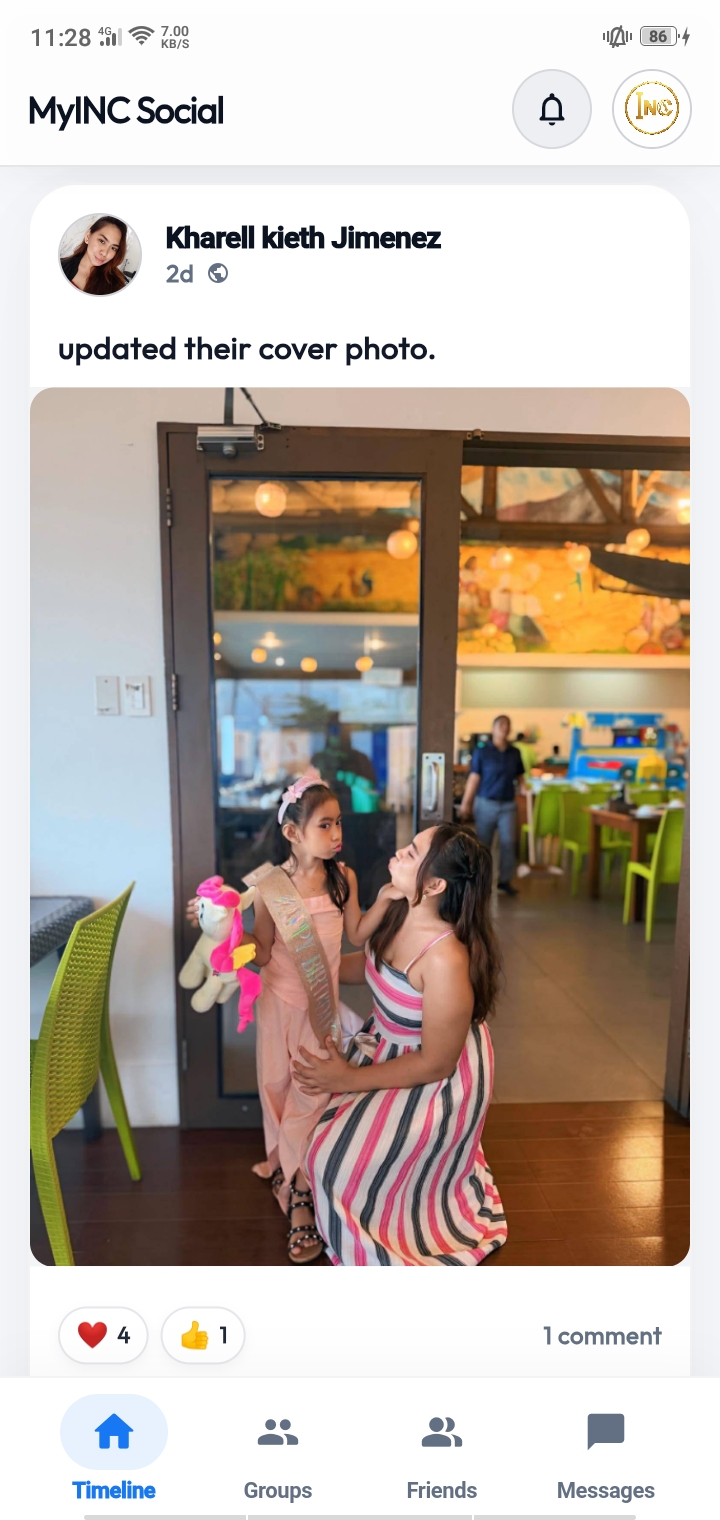
Timeline screen
TimelineA focused private feed for approved users.
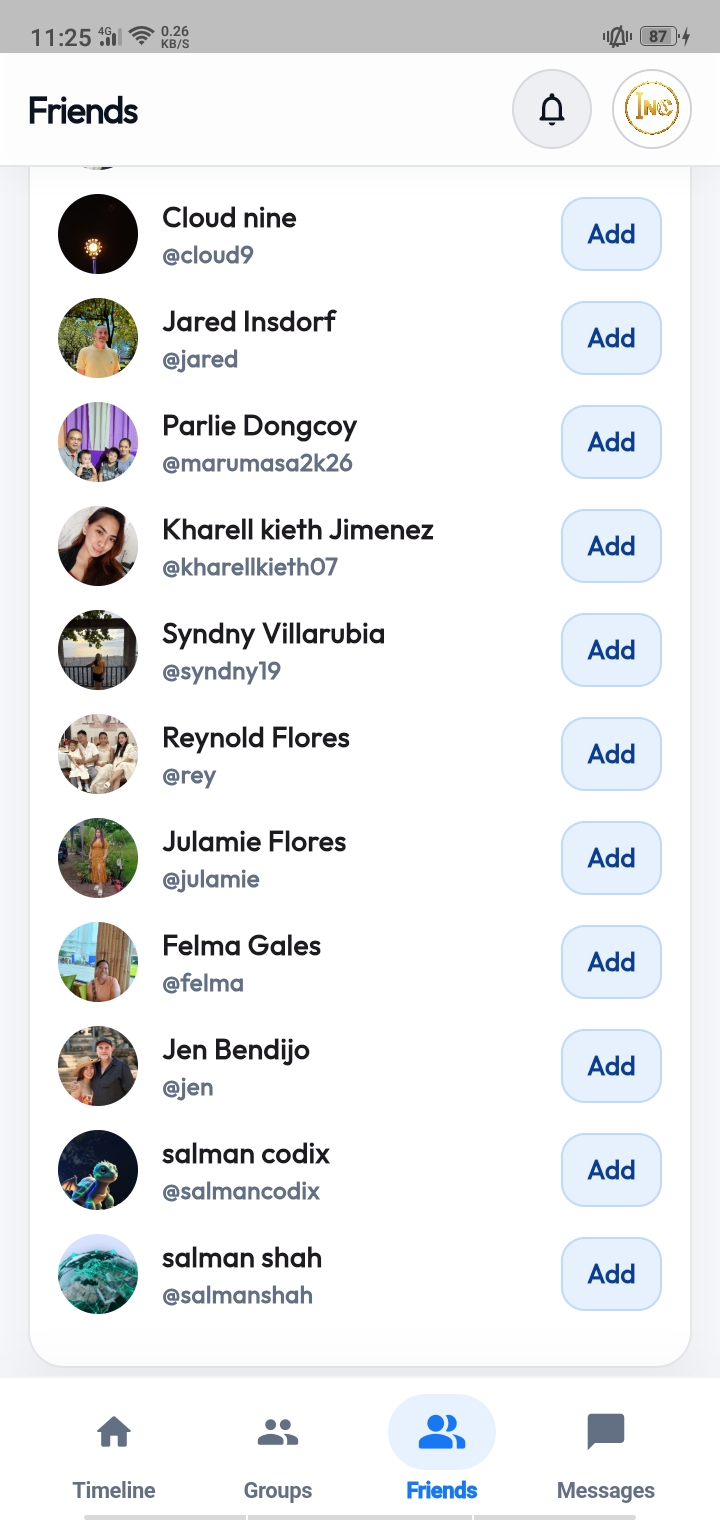
Connections screen
ConnectionsFind and follow members you know.
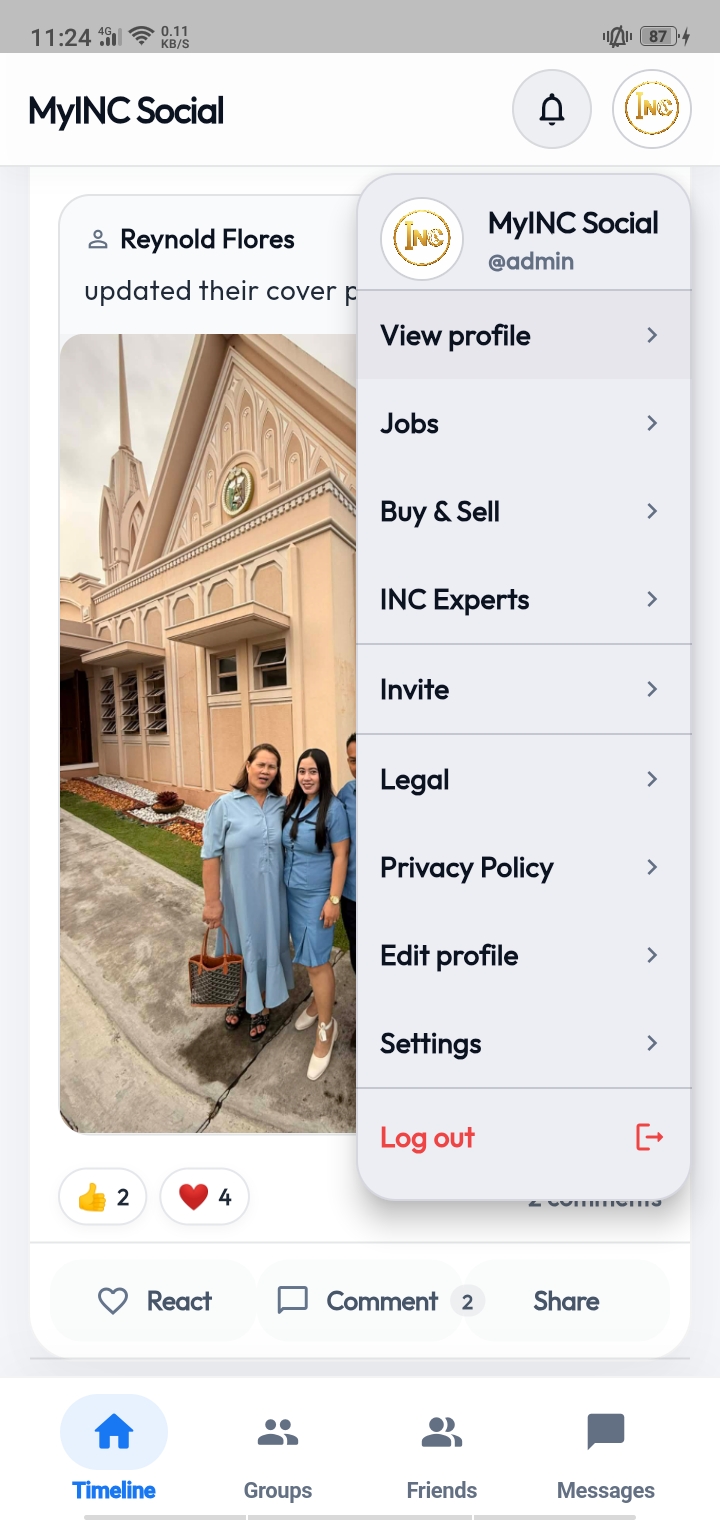
Navigation screen
NavigationClear movement between main app areas.
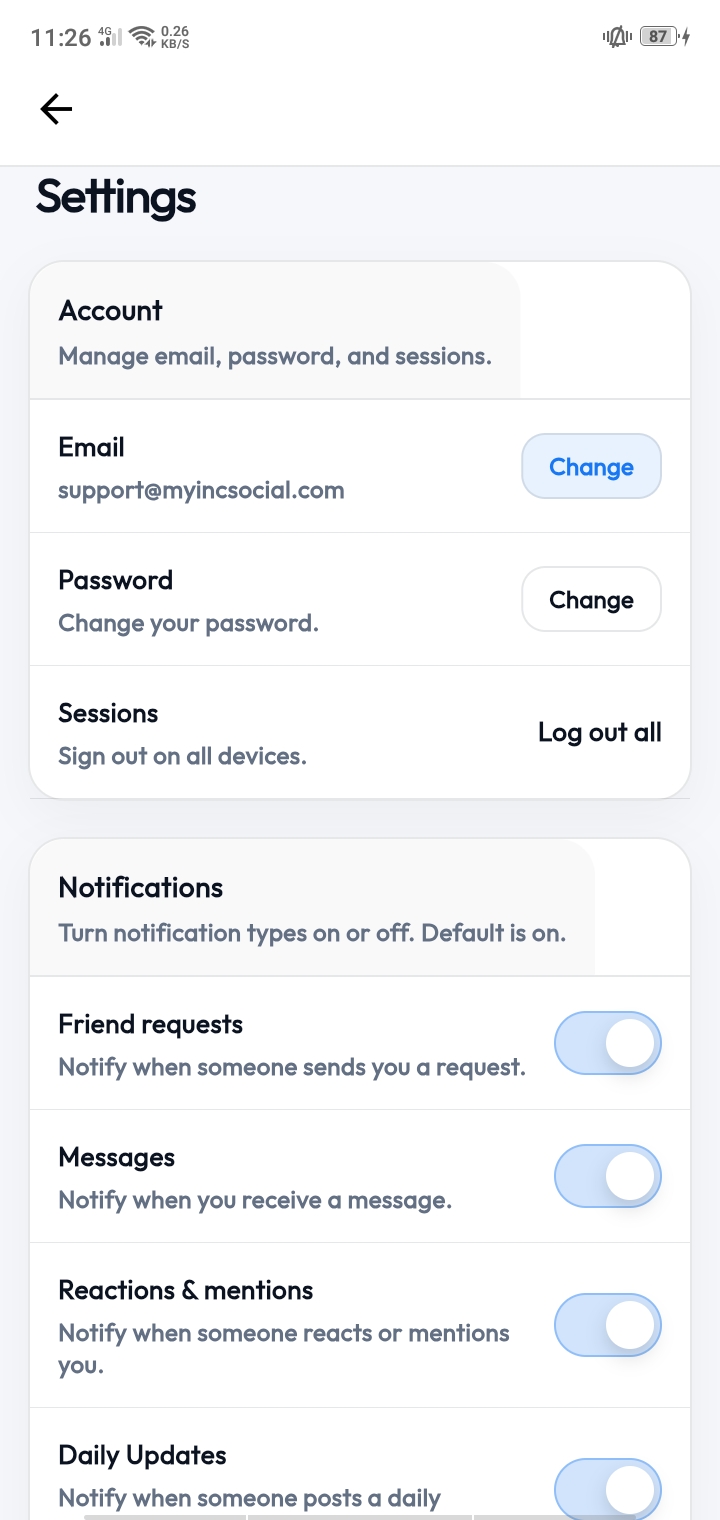
Settings screen
SettingsManage profile and account details.
Core features

Substantial, but not heavy.

The content stays detailed for credibility and ad review. The interface becomes calmer, cleaner, and more premium.

Feature · Feed

Your member feed, without the public noise.

The timeline is built for posts, reactions, comments, and updates from approved members inside the platform.

Member-only visibilityPosts are intended for the internal community, not the public web.
Familiar interactionsReact, comment, and share in a way users already understand.
Cleaner attentionThe design avoids aggressive black blocks and loud colors.
MyINC Social
Members only
JM
Jose Manalo
2 minutes ago · Private feed

Grateful to see a dedicated space where members can connect in a calmer, more focused way.

LikeCommentShare
RL
Rosa Lim
15 minutes ago · Approved member

The app feels simple and familiar without being cluttered.

24 reactions8 comments
Feature · Connections

Find members and build useful connections.

Discovery should feel simple: find people, view profiles, follow members, and stay connected to the right community.

Member profilesProfiles give users a clearer sense of who they are connecting with.
Follow systemUsers can follow people they know and keep their feed relevant.
Community discoveryDiscovery is based on the member network, not anonymous public traffic.
Connections
Directory
AP
Antonio Pascual
Member · Cebu District
CM
Carla Mendoza
Member · Manila District
RL
Rosa Lim
Member · Davao District
Feature · Groups

Organized spaces for community activity.

Groups make the app more structured and easier to navigate as the community grows.

Interest-based spacesMembers can join areas relevant to their community interests.
Less clutterImportant activity can live in organized spaces instead of one chaotic feed.
Internal visibilityGroups are designed for approved users inside the platform.
Groups
Private spaces
A
Announcements
Important platform updates
Joined
F
Faith & Fellowship
Community discussions
Joined
Y
Youth Community
Member activities
Join
Getting started

Four clear steps from install to access.

The process is direct because the community is private. Download first, complete onboarding, then wait for approval.

1
InstallUse the official install page.
2
Create accountStart with basic signup.
3
OnboardSubmit member details.
4
ApprovalEnter after review.
01

Open the install page

Use the official destination page to get the app. This keeps the process simple and avoids sending people to the wrong page.

CTA: https://get.myincsocial.com/
02

Download MyINC Social

Install the app on your device. The app is free to download and built as a private social platform.

Free download
03

Complete onboarding

Create your account and complete the required onboarding information so your access can be reviewed properly.

Guided setup
04

Wait for approval

After review, approved users can enter the platform and start using the member feed, connections, and groups.

Private access gate
Why not public social media?

A focused platform has different priorities.

This comparison keeps the page informative without using dark, intimidating visuals.

Capability
MyINC Social
Public platforms
Approval-based member access
Community-focused feed
Mixed
Dedicated INC member experience
Simple member onboarding path
Organized groups and internal spaces
Mixed
Common questions

Clear answers before download.

Enough detail for trust, but written plainly so the homepage stays easy to scan.

Is MyINC Social free?

Yes. The app is free to download and does not require a subscription to start the access process.

Can anyone join?

No. The platform is built as a private member community. Full access requires account review and approval.

What can members do inside?

Members can use the private feed, connect with other members, view profiles, and participate in organized app spaces.

Where should download buttons go?

Every install or download button on this page points to the same official destination: https://get.myincsocial.com/

Ready to install?

Get MyINC Social from the official install page.

Use one clean destination for all users. No login button. No blue branding. No conflicting app links.

Get MyINC SocialReview app screens first

Free download · Approval required · Built for INC members