
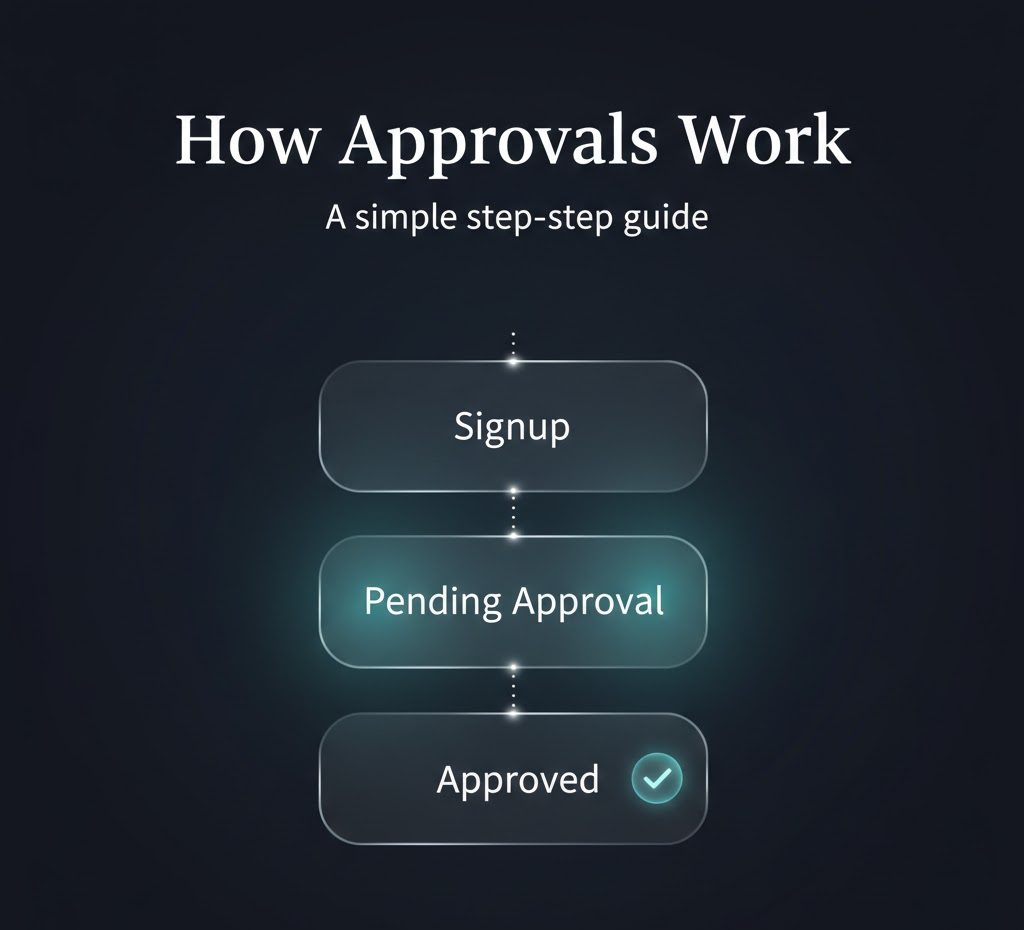
How MyINC Social Approvals Work

Approvals

How MyINC Social approvals work

MyINC Social uses a manual approval process to help protect the platform, reduce spam, limit fake or duplicate registrations, and keep access to protected areas deliberate instead of fully automatic. This page explains what approval means, why pending status exists, how review works, what can slow the process, and what users should realistically expect before and after a decision is made.

Manual review Pending status explained Safer access control Spam reduction Clear user expectations
Illustration showing the MyINC Social approval process
Updated: March 20, 2026 Topic: Signup, Pending Status, Admin Review Audience: New Users, Members, Reviewers Reading time: 9–11 minutes

Section 1

Overview

MyINC Social does not use a fully open access model. The platform uses a manual approval layer because some digital communities should not function like public free-for-all networks where every registration receives identical access immediately. That extra checkpoint is there to create more control, more traceability, and a cleaner user environment.

In practical terms, the flow is simple: a user signs up, completes onboarding, enters a pending state, waits for review, and then receives an outcome. That outcome may be approval, continued review, or decline depending on what the reviewer finds and whether the account fits the access rules of the platform.

This model matters because account creation and account clearance are not the same thing. A registration can be valid while protected access is still intentionally paused. That distinction is one of the most important concepts on this page.

For users

The key point is simple: pending status is not automatically a problem. It is part of the normal review flow for a controlled-access platform.

For the platform

The approval step creates a real decision point before protected access is granted, which helps reduce spam, fake accounts, and avoidable moderation problems.

Simple summary: signup creates the account. Approval determines whether protected access is actually granted.

Section 2

Watch the signup video

If you want to see the real flow before registering, watch this short walkthrough first. It shows how a new user creates an account and moves through the process up to pending approval. That makes the approval model easier to understand before you start.

See the signup process before you begin

This vertical video is built for mobile viewing and gives a quick real example of the account creation flow through pending approval. It is useful for first-time users who want to understand where onboarding ends and where review begins.

Watching the process first reduces confusion and sets the right expectation: creating an account is not always the same as receiving immediate protected access.

Recommended: if you are new to MyINC Social, watch the short first. It shows exactly where pending approval fits into the signup flow.

Section 3

Why approvals exist

Open signup systems with instant access create predictable problems: fake accounts, spam, duplicate registrations, rushed onboarding, deceptive profiles, and unnecessary moderation burden. A manual approval layer does not eliminate those risks completely, but it reduces them by inserting a human checkpoint before deeper access is unlocked.

Approval systems matter because the entry point is one of the most important control points on any community platform. It is usually easier to pause questionable accounts before they enter protected spaces than to investigate and clean up problems after they have already posted, interacted, or caused trust damage.

Approval also supports platform quality. When users know access is reviewed, the platform signals that protected spaces are being operated with more care than a generic open network.

  • Safety: adds a real human checkpoint before protected access is opened.
  • Quality control: helps reduce false, duplicate, incomplete, or suspicious registrations.
  • Operational control: gives reviewers a deliberate way to decide who gets access and when.
  • Community protection: prevents private areas from becoming easy entry funnels for unreviewed accounts.
  • Trust: helps users feel that access is being managed with structure instead of chance.
Core principle: prevention at the entry point is usually cleaner and cheaper than reactive enforcement after the wrong account is already inside.

Section 4

Who this model is for

A manual approval system is not necessary for every kind of website, but it makes sense for platforms that want stronger control over who enters protected spaces. MyINC Social is built around the idea that some areas should be reviewed before access is granted. It is not designed as a fully open public network where every account receives identical access immediately.

This model is especially useful for community-based platforms, moderated networks, role-based environments, and membership-style systems where trust, identity, and access boundaries matter. In those settings, instant entry for everyone can undermine the very structure the platform is trying to protect.

Controlled communities

Communities with protected areas often need a review gate so new registrations do not automatically enter sensitive spaces.

Role-based platforms

When users may receive different levels of access, a review step makes that assignment more deliberate and easier to trace.

Safety-focused services

Platforms that want lower spam volume and fewer abusive signups usually benefit from slowing the entry point slightly.

Moderated ecosystems

When moderation matters, it is often better to screen at the door than to clean up avoidable problems afterward.

Section 5

The approval process

The process is intentionally linear. A person signs up, adds the required onboarding information, waits in pending status, and then receives a reviewer decision. Each stage exists for a reason. Signup creates the account record. Onboarding provides context for review. Pending status holds access in a limited state. Review determines whether the account moves forward.

This is a practical model for platforms that value trust and oversight more than raw signup speed. It gives the service room to scale carefully rather than opening everything instantly and hoping moderation can catch up later.

01

Create an account

A user submits the signup form and creates the basic account record inside the platform.

02

Complete onboarding

The user provides the details needed for review, placement, and access context.

03

Enter pending review

The account exists, but access remains limited while the review decision is still open.

04

Reviewer checks the account

An authorized reviewer examines the information and decides whether the account should move forward.

05

Decision is recorded

The account may be approved, held for further review, or declined depending on the result.

06

Access changes if approved

Approved accounts can continue into the protected member experience assigned by the platform.

Why the stages matter: each stage answers a different question: was the account created, was enough information provided, and should protected access now be granted?

Section 6

What pending means

Pending is a waiting state. It does not automatically mean something is wrong, and it does not necessarily mean the user has been rejected. It means the account has not yet been cleared for protected access. That difference matters because new users often confuse “I signed up successfully” with “I am already approved.” Those are not always the same result.

Pending status protects the platform by holding the account in a limited state until review is complete. It also protects the user experience by making the process explicit instead of leaving people unsure whether their account is working.

Pending Under review Approved Declined
  • Pending: signup is complete, but access is still limited and waiting for a decision.
  • Under review: the account is actively being checked by an authorized reviewer.
  • Approved: the account can move into the appropriate protected areas assigned to it.
  • Declined: the account is not approved for standard member-area access.
Important: a pending account is not the same as an active fully approved account. It is a temporary holding state while the decision is still open.

Section 7

How review works

Review exists to protect platform integrity. Instead of allowing all accounts through by default, the platform keeps a decision point in place so authorized reviewers can examine signup context before granting access. That review is not there to create friction for its own sake. It is there to create control.

Reviewers may look at whether the account appears complete, coherent, and appropriate for the platform’s intended use. They may also consider whether the onboarding information seems consistent, whether the account shows obvious spam or duplication signals, and whether the registration appears genuine rather than automated or deceptive.

  • Whether the submitted information appears complete, consistent, and genuine.
  • Whether the profile appears to represent a real person rather than an automated or deceptive registration attempt.
  • Whether the account fits the access rules and intended use of the platform.
  • Whether the signup shows signs of duplication, repeated registration, spam, or unusual behavior.
  • Whether more clarification is needed before protected access should be granted.
Security effect: a slightly slower entry point can create a safer and more manageable platform when the goal is controlled access rather than maximum signup speed.

Section 8

What can slow review

Not every approval request moves at the same speed. Some accounts are straightforward and can be reviewed quickly. Others take longer because more context is needed or because something about the submission requires a closer look. A slower review does not automatically mean rejection. It may simply mean the account needs more verification or that reviewer capacity is limited at that moment.

  • Incomplete onboarding: missing or unclear details make confident review harder.
  • High queue volume: when many accounts are waiting at once, some reviews naturally take longer.
  • Duplicate or similar records: repeated registrations or matching profile signals may need more checking.
  • Unusual activity patterns: signups that look automated, inconsistent, or suspicious are more likely to be slowed for safety reasons.
  • Need for clarification: some accounts simply require more review before a decision is recorded.
Practical note: delay and decline are not the same thing. A careful review is often better than a fast weak review.

Section 9

What users should do before and after signup

Users can help the review process move more smoothly by submitting clear and accurate information during signup and onboarding. Incomplete, inconsistent, or rushed details slow review because reviewers then have less confidence in what they are looking at.

Best practices

  • Complete required fields carefully instead of rushing through them.
  • Use accurate information that matches the intended account identity.
  • Wait for a decision instead of assuming access is immediate.
  • Use the correct support channel if a legitimate issue appears.

What to avoid

  • Submitting unclear or inconsistent information.
  • Creating duplicate accounts to try to bypass the queue.
  • Repeatedly re-registering instead of waiting for review.
  • Assuming every area should unlock instantly after signup.
Reality: in a controlled-access platform, patience is part of the normal signup experience.

Section 10

Privacy and platform safety

Approval systems are not only about access control. They also support privacy, moderation, and abuse prevention. By reducing instant entry into protected spaces, the platform lowers the chance that bad actors can rapidly reach member-only areas, sensitive discussions, or community features without first being seen by a reviewer.

This matters because once a low-quality or deceptive account is inside a protected area, the platform may have to deal with user harm, content cleanup, moderation action, and trust damage all at once. The approval layer is meant to reduce that exposure before it happens.

Privacy protection

Fewer automatic approvals can reduce unnecessary exposure of member-only areas to unreviewed accounts.

Abuse reduction

Review layers help filter spam, fake activity, obvious misuse, and poor-quality registrations before an account becomes active.

Cleaner moderation

Moderators spend less time cleaning up avoidable problems when suspicious accounts are slowed at the entry point.

Stronger trust

A community often feels more stable when access is reviewed rather than fully open by default to every registration attempt.

Section 11

After approval

Once approved, the account can move beyond the restricted state and into the appropriate areas of the platform. Approval does not mean every account receives the exact same experience. Access can still depend on the platform’s internal structure, roles, permission levels, and protected areas.

Approval is best understood as an entry decision. It clears the account to move forward according to the platform’s access design. It does not remove platform rules, and it does not guarantee unlimited privileges. It simply means the account has passed the initial approval checkpoint.

  • Approved users can continue into the intended member-access experience.
  • Held users may remain restricted while review is completed or clarified further.
  • Declined users do not receive standard member-area access.

Section 12

If an account is not approved

Not every account will necessarily be approved for normal protected access. A decline can happen for different reasons depending on the platform’s review standards, the completeness of the information provided, the quality of the signup context, or whether the account fits the intended use of the service.

A declined outcome does not need to be interpreted emotionally. In a controlled-access system, approval is a gatekeeping decision, not an automatic entitlement. The platform is allowed to preserve boundaries around who enters protected spaces and under what conditions.

  • The information provided may be incomplete or inconsistent.
  • The account may appear duplicate, misleading, or suspicious.
  • The registration may not fit the intended access rules of the platform.
  • The reviewer may determine that protected access should not be granted at that time.
Control principle: protected communities work better when the service keeps a real decision point around access instead of assuming all registrations should move forward automatically.

Section 13

Frequently asked questions

Why not approve everyone automatically?

Because automatic approval increases spam, fake registrations, duplicate accounts, and loss of platform control. For protected communities, that tradeoff is usually not worth it.

Can signup succeed while access is still limited?

Yes. Signup creates the account record. Approval is the separate step that controls whether protected access is enabled.

Why use manual review instead of full automation?

Because manual review provides stronger control, better traceability, and better protection for community spaces that are not meant to function like open public forums.

Can an approved account still be subject to rules?

Yes. Approval is an entry decision, not a removal of platform rules. Community guidelines, moderation rules, and access limitations still apply.

Why publish this process publicly?

Because users should be able to understand how access works before they sign up. A public explanation reduces confusion and shows that the platform is operating with a deliberate access model instead of vague hidden rules.

Summary: MyINC Social’s approval flow is simple in structure but important in purpose: sign up, complete onboarding, wait in pending, go through review, and receive a decision. The goal is not friction for its own sake. The goal is platform safety, stronger moderation, cleaner access control, and better protection for protected community spaces.

Next step

Understand the process first, then sign up with the right expectations

MyINC Social uses approvals because some communities need stronger access control than open platforms provide. If you are ready to begin, create an account and complete onboarding carefully. If you still have questions, use the Contact page before registering.