Now Live on Google Play

MyINC Social is now available to download.

MyINC Social is a private, approval-based community platform built for verified access and a more focused social experience.

Android users can install MyINC Social from Google Play. iPhone and iPad users can open MyINC Social in Safari and add it to their Home Screen for an app-like experience.

New here? Watch the short sign-up walkthrough below before you install, so you know exactly what to do once the app is on your phone.

Use official sources only: Google Play for Android, or the official MyINC Social web app opened through Safari on iPhone and iPad. Avoid third-party APK sites.

MyINC Social Google Play store preview
Live
Status Now live and available on Google Play.
Android
Google Play Install the official Android app from Google Play.
iPhone
Safari setup Open in Safari, then Add to Home Screen.
2026
Current cycle Continuously updated and supported.
Choose your device

Install or open MyINC Social the right way.

The correct setup depends on your phone. Android users should install the official app from Google Play. iPhone and iPad users should open MyINC Social in Safari and add it to the Home Screen.

Android

Install the official MyINC Social app from Google Play.

Get it on Google Play

iPhone / iPad

Open MyINC Social in Safari, then add it to your Home Screen so it appears like a normal app.

1
Open MyINC Social in Safari Safari gives the cleanest Home Screen app experience on iPhone and iPad.
2
Tap Share Use the Safari share button at the bottom of the screen.
3
Tap Add to Home Screen The MyINC Social icon will appear like a normal app.
Scan the QR code from the live Get page with your iPhone, or open this page directly in Safari.
Screenshots

Take a quick look inside the app.

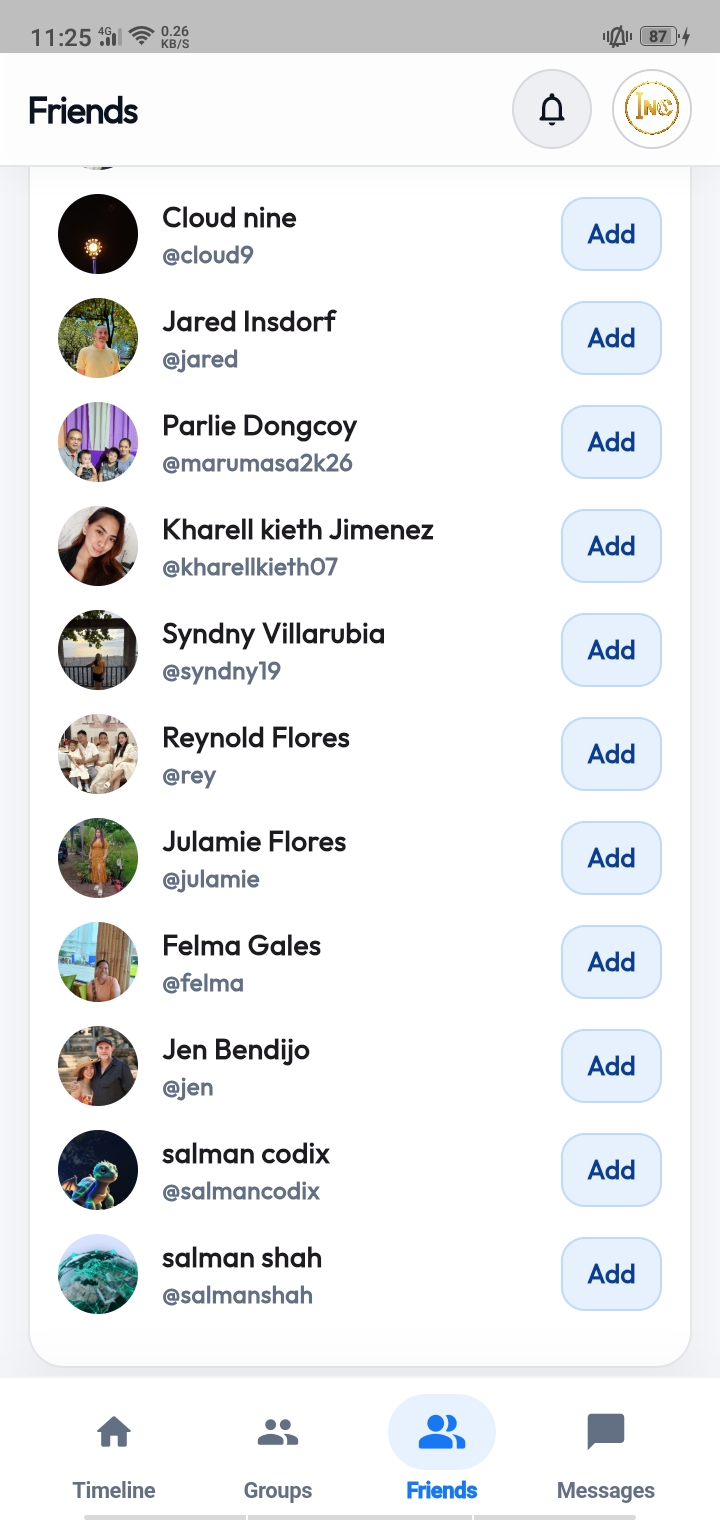
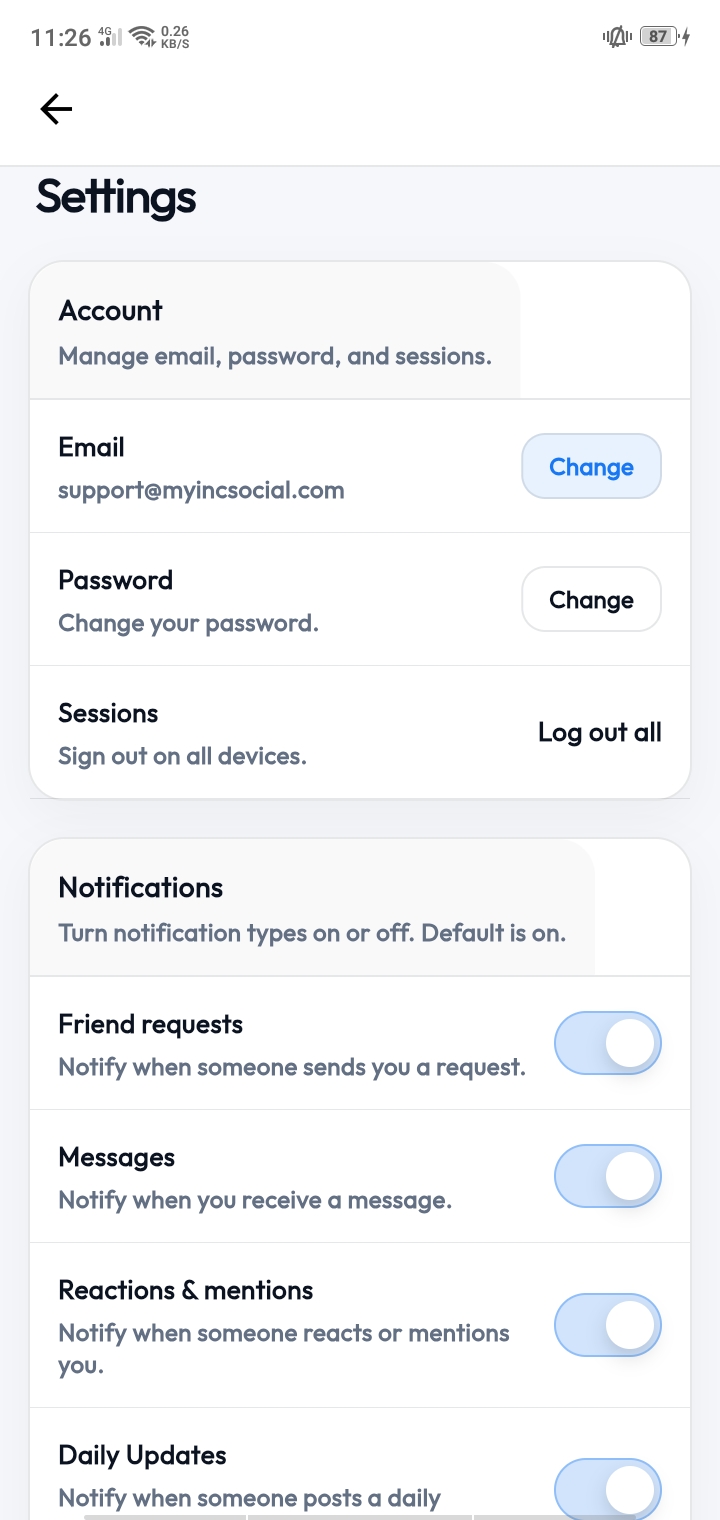
A preview of the live MyINC Social experience — onboarding, timeline, connections, and account tools.

Swipe to explore
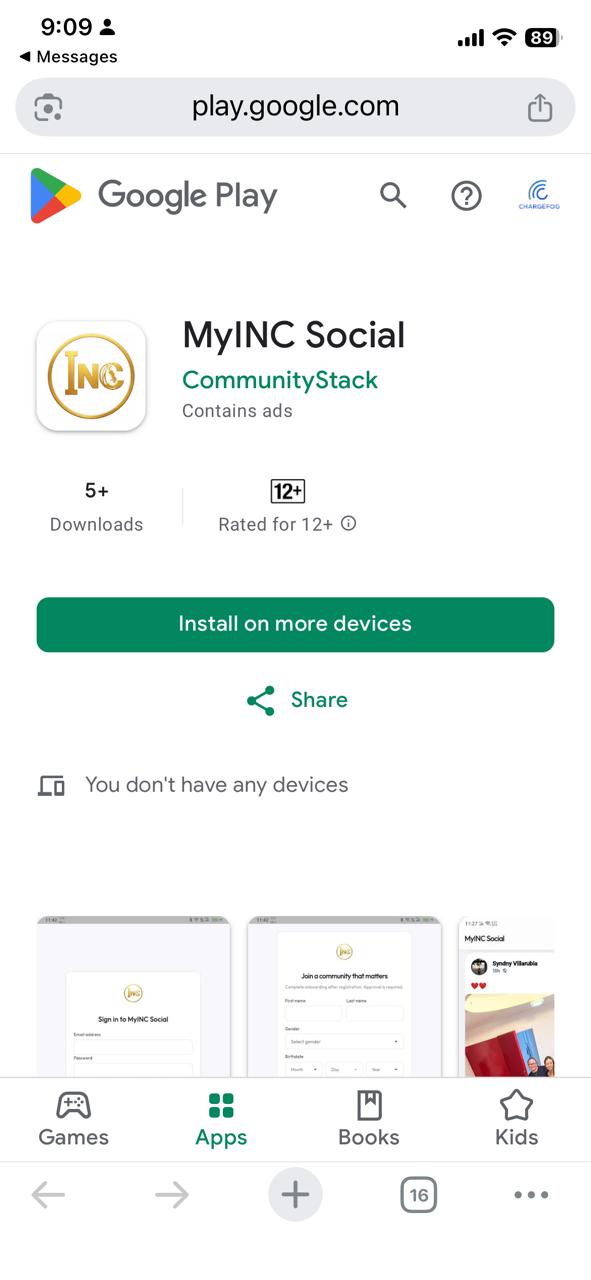
MyINC Social Google Play store preview
Google Play listing The official MyINC Social app on Google Play.
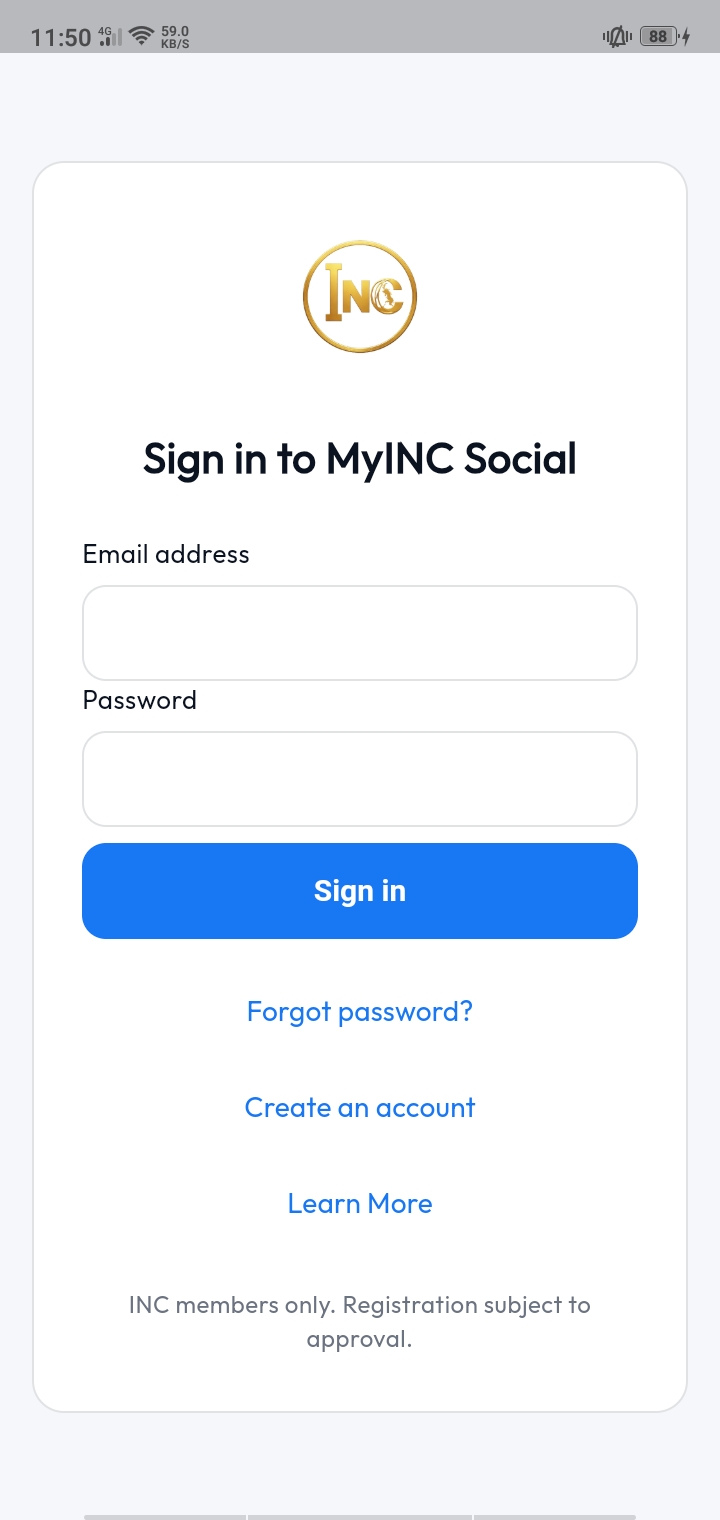
MyINC Social sign in screen
Sign in Fast access for existing approved users.
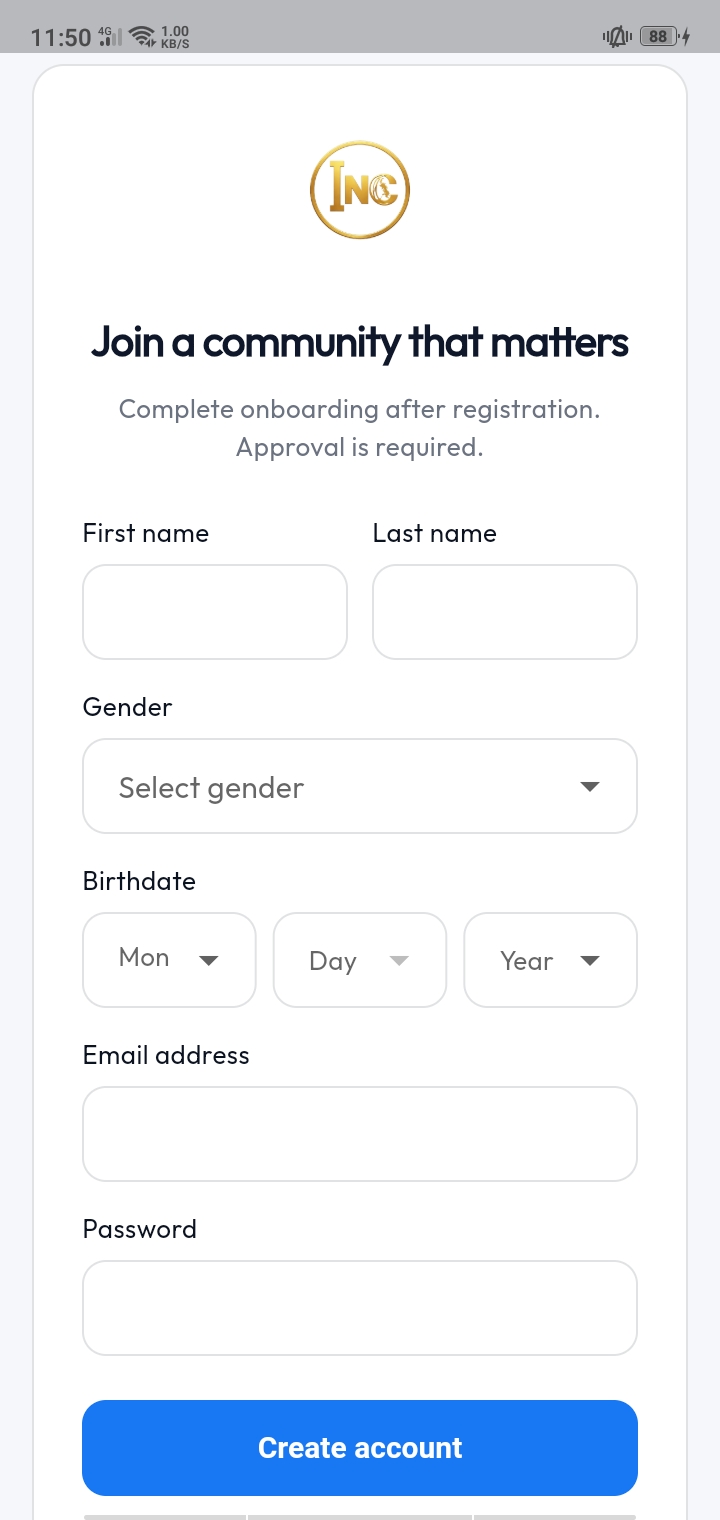
MyINC Social account creation screen
Create account Structured onboarding for new users entering the platform.
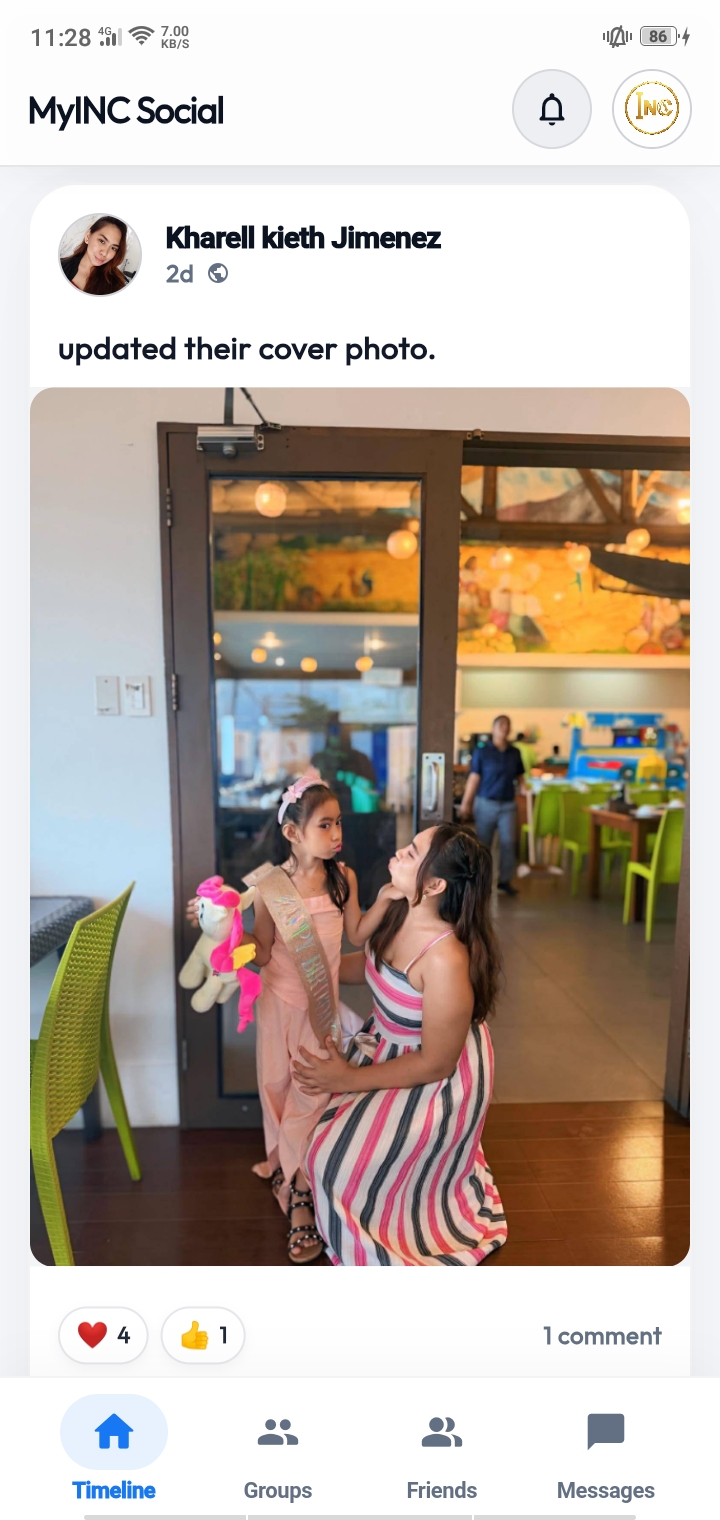
MyINC Social timeline screen
Timeline A focused feed for community updates and interaction.
MyINC Social navigation menu
Navigation Quick access to app sections and account tools.
MyINC Social friends and connections screen
Connections Build relationships inside the private network.
MyINC Social account settings screen
Settings Manage your profile and account preferences.
Sign-up walkthrough

See exactly how to sign up in under a minute.

This short walkthrough shows the full sign-up flow inside MyINC Social — from opening the app to creating your account and getting into the timeline.

1 Install MyINC Social from Google Play.
2 Open the app and tap Create Account.
3 Fill in your details and submit for approval.
4 Sign in and start connecting with the community.
About this app

Built around cleaner access and a more focused experience.

MyINC Social is designed for a verified, approval-based environment where users can interact in a more focused and controlled way. The experience is built around clean navigation, private community access, streamlined onboarding, and a mobile interface that feels intentional rather than noisy.

The Android app is live on Google Play, and iPhone/iPad users can open MyINC Social through Safari and add it to the Home Screen. Sign-ups are reviewed through an approval process so the community stays verified and focused — without losing the simplicity of fast access.

Once you're in, you can sign in, complete your profile, move through onboarding, access the timeline, connect with others, and manage your account settings directly inside the app.

Live on Google Play Private access Approval workflow Mobile-first Active updates
What you get

What's available right now.

  • MyINC Social is live and available on Google Play for Android users.
  • iPhone and iPad users can open MyINC Social in Safari and add it to the Home Screen.
  • A guided in-app sign-up flow with approval review.
  • Private timeline, connections, and account tools.
  • Continuous updates and active product support.
Support

Official help and support links.

If you need help with the app, sign-up, or your account, use the official channels below.

Help Center Browse official knowledge base articles, setup information, and support guidance.
Live Chat Open the official live chat channel for support and general assistance.
Contact Page Use the official contact page for any other questions or feedback.
App info

Current release info.

App name MyINC Social
Developer MyINC Social
Platform Android + iPhone/iPad web app
Access Google Play + Safari Home Screen
Status Live
Sign-up Approval-based
Updated 2026
Official source MyINCSocial.com
Get started

How to install and sign up.

1
Choose your device Android users open Google Play. iPhone/iPad users open MyINC Social in Safari.
2
Install or add to Home Screen Install from Google Play on Android, or use Safari → Share → Add to Home Screen on iPhone/iPad.
3
Create your account Open the app, tap Create Account, and fill in your details. Watch the sign-up video if you need a guide.
4
Get approved and start using the app Once approved, sign in and start connecting with the community.
Access & safety

What every user should know.

  • MyINC Social is live on Google Play for Android users.
  • iPhone and iPad users should open the official web app in Safari and add it to the Home Screen.
  • Only use Google Play, MyINCSocial.com, or the official MyINC Social web app link.
  • Avoid unofficial APKs or third-party download sites.
  • Use the official support channels for any questions about your account.

Ready to join MyINC Social?

MyINC Social is ready for Android, iPhone, and iPad users. Install from Google Play on Android, or add the web app to your Home Screen on iPhone/iPad.

Quick overview
1
Android on Google Play The Android app is live and available from Google Play.
2
iPhone/iPad Home Screen Open in Safari, tap Share, then Add to Home Screen.
3
Approval-based access Sign-ups are reviewed to keep the community verified and focused.
4
Active support and updates Backed by official support channels and ongoing improvements.
🔒
Use Google Play for Android, Safari Home Screen for iPhone/iPad, and official MyINCSocial.com links only.